Canva is folding remove.bg into its editor, here is where the one-click background remover lives on
 Tomas Rohlena
· 6 min read
Remove.bg closes on 1 December 2026, credits expire and the API moves to Leonardo.Ai. What changes, who is affected and how to migrate to bgCut.net in 10 minutes – web, bulk, API and plugins.
On 1 December 2026 at 9:00 CET the standalone remove.bg website goes offline. Canva, which bought remove.bg's parent company Kaleido in 2021, is folding the tool into its own editor. For millions of shop owners, designers and developers who used remove.bg as a quick, no-nonsense utility, that is the end of an era – and a good moment to look at what comes next.
What exactly is changing
- The website closes. remove.bg as a standalone service stops working on 1 December 2026. Background removal continues only inside Canva's editor.
- Credits expire. Unused pay-as-you-go credits are void on the same date and, according to the terms, are not refunded or transferred to Canva.
- The API is redirected. Self-serve API customers are pointed to Leonardo.Ai (also owned by Canva) with a different API, different pricing and a new integration to write. Only existing Enterprise contracts continue.
- Plugins and integrations end. The Photoshop plugin, the desktop app and third-party integrations are discontinued without a direct successor.
Check the official remove.bg FAQ for the exact wording – but the direction is clear: if you need a simple tool that just removes backgrounds, you now need a new one.
Why Canva is not a replacement for everyone
Canva is a great design suite, but it is built around templates and a full editor. remove.bg was loved because it was the opposite: drop an image, get a transparent PNG, done. Three groups are left without a direct answer:
- E-commerce teams who need hundreds of product photos cut out with identical settings, not edited one by one.
- Developers whose shops, CMSs or pipelines call an API and expect a PNG back in a second.
- Photographers and marketers who want precise control over edges – and would rather not learn a new editor to get it.
bgCut.net – the alternative that keeps the remove.bg workflow
bgCut.net was built for exactly this use case: one job, done fast and done well, with every delivery channel a professional needs.
1. The same one-click experience, better edges
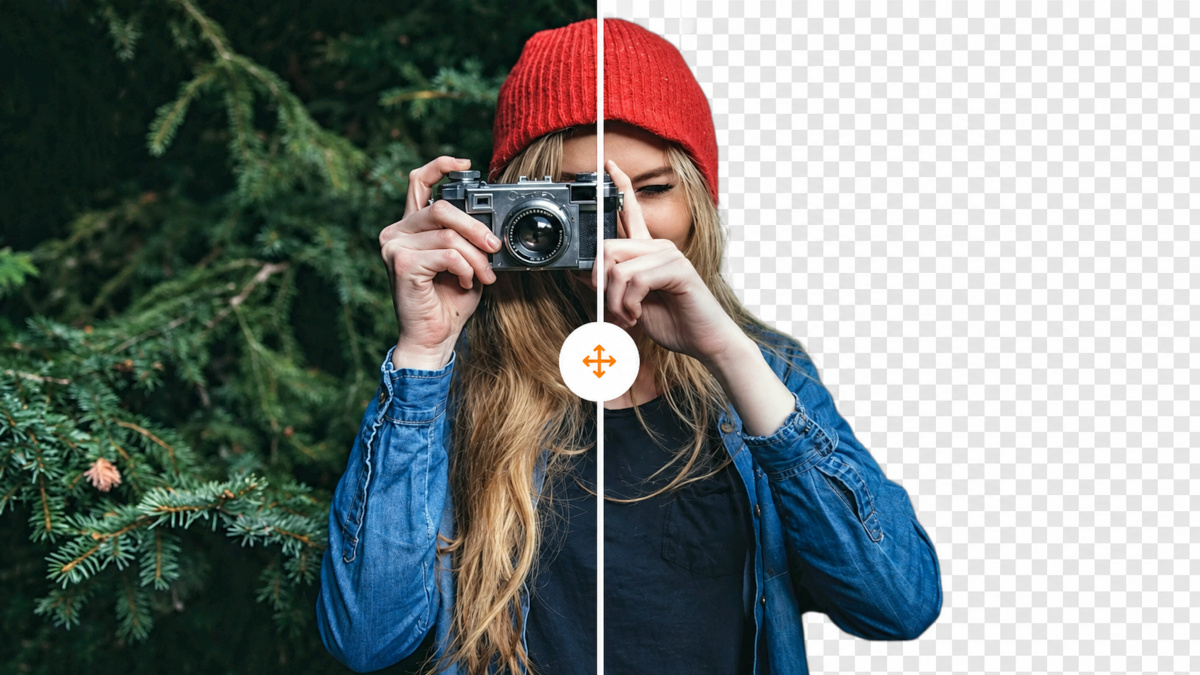
Upload, paste from the clipboard or drop a URL. A preview appears in about a second and the final cut-out is refined by a second, higher-quality model a few seconds later. People, products, animals, cars, logos and graphics are detected automatically; hair, fur and semi-transparent edges keep soft alpha so they blend into any new background.
2. Fix the last few percent yourself
The editor includes a cut-out tool with two brushes: the magic brush removes or restores whole parts with edge detection – paint roughly over the object and the AI snaps the change to its outline – and the normal brush edits exactly the pixels you paint. Zoom up to 800 %, hold a button to compare with the original, choose a transparent, solid-colour, photo or blurred-original background, and crop to the subject.
3. Bulk processing without a subscription
Drop up to 100 images at once, pick one background and format for all of them and download a single ZIP. No monthly plan: credits are bought in packs starting at 6 credits for $3 and never expire. Re-downloading an image with a different background costs nothing.
4. A REST API that feels familiar
If you integrated remove.bg, migrating takes minutes. One endpoint, one header:
curl -X POST https://bgcut.net/api/v1/remove \
  -H "X-Api-Key: bgc_YOUR_KEY" \
  -F "[email protected]" \
-F "size=auto" -F "format=png" -o result.png| remove.bg parameter | bgCut.net parameter |
|---|---|
image_file, image_url, image_file_b64 |
identical |
size=auto|preview|full |
identical |
format=png|jpg |
png|jpg|webp |
bg_color |
identical, plus bg_blur for a blurred original background |
crop, crop_margin |
identical |
type=auto|person|product |
model=lite|fast|hq|portrait |
roi |
identical (normalised 0–1) |
header X-Credits-Charged |
identical (+ X-Credits-Remaining, X-Free-Remaining) |
Sample code for cURL, Python, PHP, Node.js, Java, C#, Ruby and Go plus an OpenAPI specification is in the API documentation. Every account gets 5 free 640 px results per month, so you can test the integration before buying credits.
5. Browser extensions and plugins that stay
Because remove.bg is discontinuing its Photoshop plugin, bgCut.net ships its own: a Photoshop UXP panel, a GIMP plug-in (2.10 and 3.0), extensions for Chrome, Edge, Firefox and Safari that remove the background of any image via the right-click menu, and a command-line script for batch jobs. All of them use your personal API key – see Integrations.
6. Privacy and invoicing done properly
Images are processed on bgCut.net's own servers in the EU, stored under unguessable paths and deleted automatically (2 hours for visitors, 30 days for accounts, or immediately on request). Every purchase comes with a proper VAT invoice (PDF) – including reverse charge for EU businesses with a valid VAT ID.
How to migrate from remove.bg in 10 minutes
- Use up or write off your remove.bg credits before 1 December 2026 – they will not transfer.
- Create a free bgCut.net account and try your typical images; switch the model to “Maximum quality” for the hardest ones.
- Developers: create an API key under API keys, swap the endpoint and header in your code (see the table above) and run your test suite – response headers and parameters are intentionally compatible.
- Teams: move recurring jobs to the bulk tool and share one credit balance; invoices are available for download at any time.
- Install the plugins you used on remove.bg – Photoshop, browser extension – from the Integrations page.
FAQ
Is bgCut.net free?
Processing and previews are free. Registered users get 5 downloads per month at 640 px for free; full-resolution HD downloads cost 1 credit each. Credits never expire.
Can I keep using the remove.bg API after December 2026?
Only existing Enterprise contracts continue. Self-serve API users are sent to Leonardo.Ai with a different API. bgCut.net offers a drop-in style API with compatible parameters instead.
How good are the results compared with remove.bg?
bgCut.net runs several open segmentation models (ISNet, BiRefNet and a people-specific model) and lets you choose between speed and maximum quality per image. On typical product and portrait photos the results are on par; on difficult edges the magic brush gets you the rest of the way without leaving the browser.
Do you have an affiliate program?
Yes – every registered user gets a referral link and earns 30 % of all credits their referrals buy, for as long as they stay customers.
Tomas Rohlena
Tomas Rohlena is an experienced specialist in SEO, website development, online portals, and digital applications who combines strong technical expertise with a deep understanding of online marketing and the operation of web-based projects. Thanks to many years of hands-on experience, he not only optimizes websites for maximum search engine visibility but also designs effective strategies to improve conversions and ensure the long-term sustainability of online projects.